
AI lip sync tools have fundamentally changed how creators approach video production. What once required hours of painstaking frame-by-frame editing-manually aligning mouth shapes to syllables-can now be accomplished in minutes with browser-based AI. In 2026, these tools have matured well beyond novelty: they power multilingual content creation, faceless YouTube channels, automated marketing videos, and even real-time interactive avatars.
The landscape has diversified significantly. Some tools specialize in synchronizing real recorded footage with new audio, while others focus on generating synthetic avatars from scratch. Some are built for developers who need API access, and others cater to creators who want a one-click workflow. The right choice depends on your video type, budget, output quality requirements, and the specific features your workflow demands.
Here are seven of the best lip sync AI tools to consider in 2026, with detailed breakdowns of what each one does best.
Quick Comparison
| Tool | Best For | Free Option | Starting Price | Key Strength | Languages | API Access |
|---|---|---|---|---|---|---|
| Lip Sync AI | Simple and affordable lip sync | Yes | ~$4.99/month | Easy video + audio workflow | Multilingual TTS | No |
| Sync.so | Professional video production | Trial | ~$5/month + usage | High-quality lip synchronization | All languages (waveform-based) | Yes (REST, Python, TypeScript) |
| HeyGen | Avatars and multilingual videos | Yes (limited) | ~$24/month | Avatars and video translation | 175+ languages | Yes (REST + Streaming) |
| Magic Hour | Real footage and creative workflows | Yes (400 credits) | $10/month | Lip sync and creative AI tools | Multilingual | Yes (full parity) |
| Hedra | Talking photos and characters | Yes | $8/month | Expressive image animation | ~15 languages | Yes (Pro plan) |
| Higgsfield | AI video creation | Yes (limited) | $9/month | Multiple video models and lip sync | 8+ languages (LipSync Studio) | Yes (Creator plan) |
| D-ID | Enterprise avatar videos | 14-day trial | $5.90/month | Avatar and conversational AI | 100+ languages | Yes |
1. Lip Sync AI - Best for Simple and Affordable Lip Sync
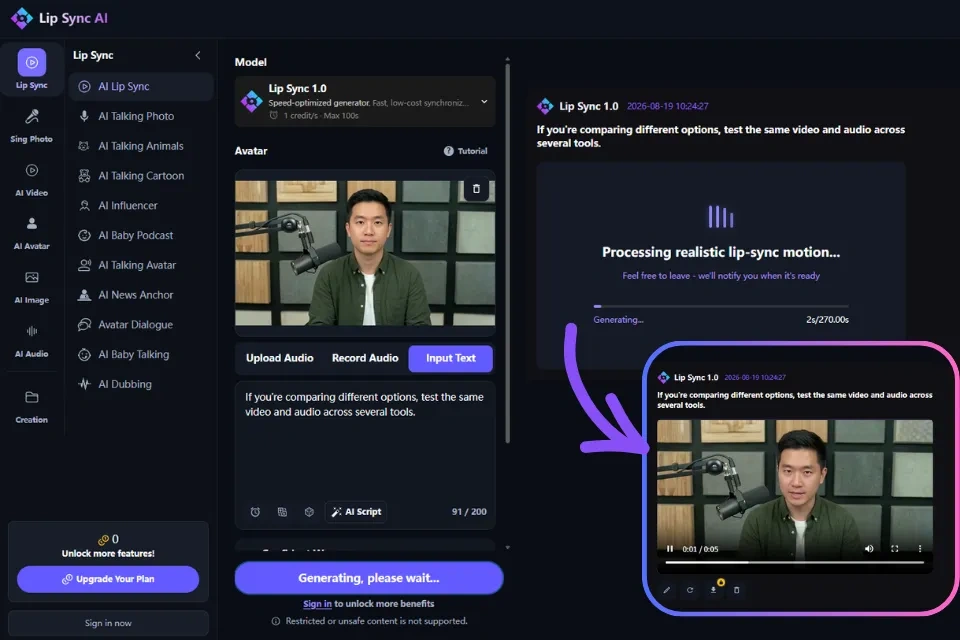
Lip Sync AI is a dedicated AI lip sync tool launched in May 2026 and designed for creators who want to turn video and audio into synchronized talking videos without a complicated production workflow. The platform operates entirely in the browser with no software installation required, and users can start generating videos without even creating an account.
Best for: Freelancers, content creators, small teams, and users who want an affordable, straightforward way to create lip-sync videos.
Why It Stands Out
Lip Sync AI offers two generation models to serve different quality and speed needs:
- Lip Sync 1.0 - Available to all users by default, optimized for speed and accessibility. Supports portrait-style animation with audio uploads and voice recordings up to 100 seconds in length and file sizes up to 100 MB. This model is ideal for quick social media content and testing.
- Lip Sync 2.0 - Unlocked after free registration, this advanced model delivers cinematic realism through more precise lip movements, natural upper-body motion, and support for a wider range of character styles. Supports audio up to 40 seconds with file sizes up to 50 MB.
Beyond core lip sync, the platform includes several creative features:
- Talking Photo AI - Animate a single image with text, uploaded audio, or recorded speech
- Talking Animals AI - Bring pet and animal photos to life through synchronized speech and facial animation
- Influencer Models - Four versions of AI influencer-style video generation
- Dialogue Models - Three versions supporting multi-character dialogue scenes
- Talking Baby AI - Animate baby photos with synchronized speech
- Seedance Models - Advanced video generation with Pro and 2.0 versions
The platform supports 5 concurrent generations and a Priority Lane on all paid plans, meaning your videos render faster without queuing behind other users.
Key Features at a Glance
- Browser-based, no software installation
- Works on both desktop and mobile browsers
- Two AI models (Lip Sync 1.0 and 2.0)
- Multiple creative modes (talking photos, animals, influencers, dialogue)
- Credits never expire
- No auto-renewal on subscriptions
- Supports Google Pay, Apple Pay, Visa, Mastercard, American Express, JCB, and UnionPay
Pros & Cons
Pros:
- Free access during launch period with no sign-up required
- Simple upload-and-generate workflow - no technical skills needed
- Credits never expire on any plan
- Multiple creative modes beyond basic lip sync
- Fast processing (approximately one minute for short clips)
- Trusted by teams at Meta, L'Oreal, Shopify, and Dyson
Cons:
- Free usage is limited; advanced features require purchased credits
- Lip Sync 2.0 has shorter audio limits (40 seconds vs. 100 seconds for 1.0)
- All purchases are generally non-refundable due to computational costs
- No API access for developers
- Limited advanced editing features compared to full creative suites
Pricing
| Plan | Price | Credits/Month | Approx. Video Length |
|---|---|---|---|
| Free | $0 | Limited | Testing only |
| Starter | 4.99/mo (59.88/year) | 155 | ~155 seconds |
| Pro | 13.99/mo (167.88/year) | 440 | ~440 seconds |
| Ultra | 69.99/mo (839.88/year) | 2,260 | ~2,260 seconds |
One-time credit packages are also available for users who prefer pay-as-you-go without recurring subscriptions.
2. Sync.so - Best for Professional Lip Sync Quality
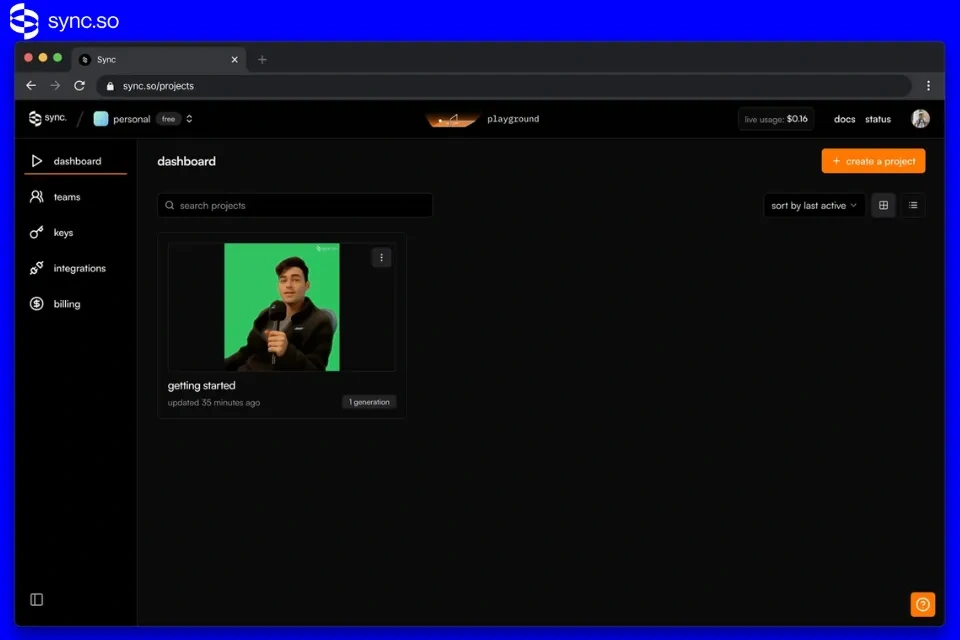
Sync.so, developed by Synchronicity Labs, is an API-first lip sync and visual dubbing platform built for developers and production teams who need precise, programmatic control over lip synchronization. Unlike consumer-focused tools, Sync.so is designed for integration into localization pipelines, dubbing workflows, and professional post-production environments.
Best for: Professional dubbing, advertising, high-quality video production, and developer integrations.
Why It Stands Out
Sync.so offers five production-grade lip sync models, each tuned for a different quality-versus-speed trade-off:
- sync-3 (Flagship) - Native 4K output with built-in obstruction detection for hands, microphones, and glasses. Handles extreme camera angles and full-shot processing without manual masking. This is the only model that can open a mouth that starts fully closed in the source video.
- lipsync-2-pro - Adds diffusion-based super-resolution for fine facial detail like beards and teeth. Highest visual fidelity for close-up shots.
- lipsync-2 - Fast, general-purpose model that preserves the speaker's unique speaking style. The recommended default for most workflows.
- lipsync-1.9.0-beta - Legacy budget option for simple, fast processing.
- react-1 - Layers facial expression and head motion on top of standard lip movement, adding emotional direction. Limited to 15 seconds per clip.
The platform supports virtually any language because the AI analyzes the audio waveform rather than relying on language-specific phoneme libraries. This means it works equally well with English, Mandarin, Spanish, Arabic, singing, and regional dialects.
Developer-First Architecture
- REST API at api.sync.so
- Python SDK (pip install syncsdk)
- TypeScript SDK (npm i @sync.so/sdk)
- Published OpenAPI 3.1 specification
- Studio playground for testing before writing code
- Plugin support for Premiere Pro and ComfyUI
- Active speaker detection (from Creator tier up)
- Bring-your-own TTS API key (from Creator tier up)
Key Features at a Glance
- Five lip sync models ranging from budget to 4K flagship
- Obstruction detection (sync-3 only) for hands, mics, and glasses
- Pay-per-second usage billing (no credits or prepay)
- Voice cloning (3 on Hobbyist, more on higher tiers)
- Works with any language (waveform-based analysis)
- Studio playground for visual testing
- Multi-person video support with active speaker detection
Pros & Cons
Pros:
- Best-in-class lip sync quality, especially with sync-3 model
- Transparent pay-per-second pricing (from ~$0.04/sec)
- Comprehensive developer tooling (SDKs, API, OpenAPI spec)
- Handles complex footage (extreme angles, obstructions, 4K)
- No surprise mid-month bills (invoice thresholds)
- Plugin support for professional editing workflows
Cons:
- No beginner-friendly UI - built for developers, not marketers
- Free and Hobbyist plans include watermarks
- react-1 (expression model) requires paid subscription
- Cannot animate static images (requires video with natural speaking motion)
- No real-time/live lip sync support
- lipsync-2 and lipsync-2-pro can't open a mouth that starts fully closed
Pricing
| Plan | Price | Max Video Length | Concurrent Jobs | Watermark |
|---|---|---|---|---|
| Free | $0 | Limited | 1 | Yes |
| Hobbyist | $5/mo | 1 minute | 1 | Yes |
| Creator | $19/mo | 5 minutes | 3 | No |
| Growth | Custom | Custom | Custom | No |
| Scale | Custom | Custom | Custom | No |
Usage is billed separately at ~$3/minute depending on the model, invoiced once charges cross a plan-specific threshold.
3. HeyGen - Best for AI Avatars and Multilingual Videos
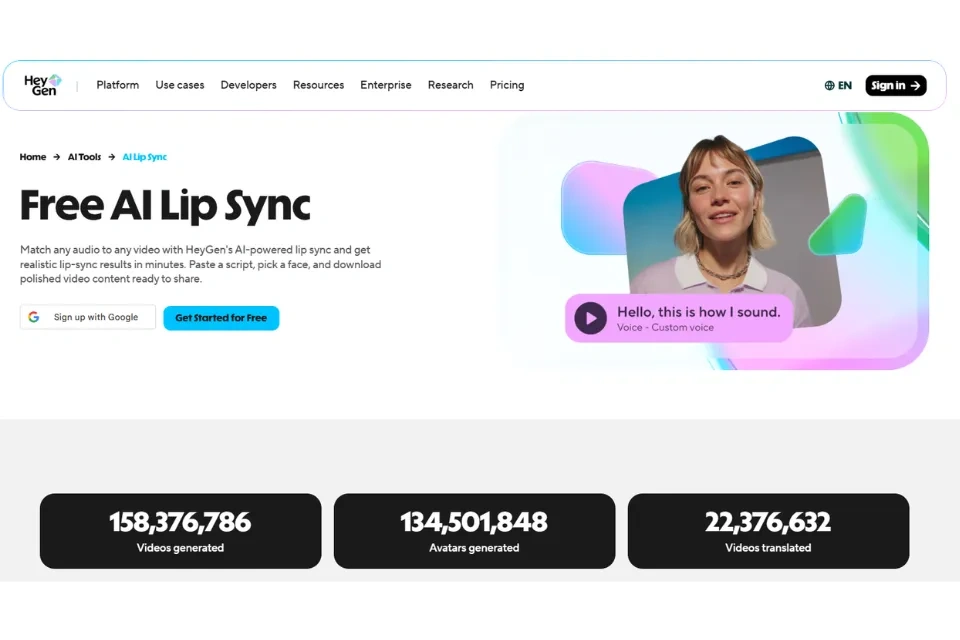
HeyGen has evolved from a basic avatar tool into a comprehensive AI video platform with some of the strongest avatar and video translation capabilities available in 2026. Its lip sync features are deeply integrated into avatar creation and multilingual translation workflows, making it a top choice for businesses producing presenter videos, courses, and localized content.
Best for: Marketing videos, courses, social content, multilingual video production, and personalized sales outreach.
Why It Stands Out
HeyGen's 2026 feature set centers on the Avatar IV model, which represents a significant leap in synthetic video realism:
- Hyper-realistic lip-syncing - The engine analyzes phonemes (individual speech sounds) to adjust mouth shapes with high precision, producing more natural speech patterns than previous generations.
- Natural gestures - AI-driven hand movements, micro-expressions, and breathing patterns reduce the "uncanny valley" effect common in earlier synthetic media.
- Digital Twins - Create a personal avatar by uploading 2–5 minutes of footage. Processing takes approximately 10–15 minutes. A 2-minute quick version and 5-minute high-quality version are available. The quality of the source recording heavily determines the final avatar quality.
The platform's video translation capability is particularly powerful:
- Upload an existing video and translate it into 175+ languages
- The system clones the original speaker's voice, maintaining tone and timbre across languages
- Lip movements are re-animated to match the translated audio
- Audio dubbing (no lip sync) is unlimited on paid plans; lip-synced dubbing uses Premium Credits
- English and Spanish produce the best lip sync results; Chinese and Japanese are slightly less natural but still acceptable
Video Agent (new in 2026) allows users to generate full-length videos from a single text prompt - the AI autonomously writes the script, selects relevant B-roll (integrated with Sora 2), and pairs it with a context-aware avatar.
Key Features at a Glance
- 700+ stock AI avatars
- 175+ languages and dialects
- Avatar IV model with phoneme-level lip sync
- Custom Digital Twins from 2–5 minutes of footage
- Voice cloning included
- Video translation with lip-synced dubbing
- Video Agent for prompt-to-video generation
- AI B-Roll integration with Sora 2
- Streaming API (WebRTC) for real-time interactive avatars
- REST API for high-volume asynchronous generation
- PowerPoint and document-to-video workflows
Pros & Cons
Pros:
- Largest avatar library (700+) and language coverage (175+)
- Best-in-class avatar realism with Avatar IV model
- One-click multilingual video translation with voice cloning
- Video Agent automates full video production from a prompt
- Strong API ecosystem for developers
- Suitable for both individual creators and enterprise teams
Cons:
- Primarily avatar-focused; less suitable for syncing arbitrary real footage
- Premium Credit system can be confusing and run out mid-project
- 10-minute Avatar IV allocation on Creator tier is a real constraint
- No traditional timeline editor for complex video production
- Customer support quality has been inconsistent
- Higher-tier plans needed for serious production volume
Pricing
| Plan | Price | Key Features |
|---|---|---|
| Free | $0 | 3 videos/month, watermarked, limited features |
| Creator | ~$24–29/month | Custom avatar, 10 min Avatar IV, voice cloning |
| Business | ~$69–120/month | More credits, team collaboration, premium features |
| Enterprise | Custom | Dedicated support, SLA, custom integrations |
4. Magic Hour - Best for Real-Footage Lip Sync
Magic Hour is the strongest all-around platform for creators and production teams working with real recorded footage. Unlike avatar-focused tools that generate synthetic faces from scratch, Magic Hour applies lip sync directly to existing video of real people - tracking and replacing mouth movements frame by frame while preserving the rest of the footage. This is a technically harder problem, and it's where Magic Hour consistently outperforms the competition.
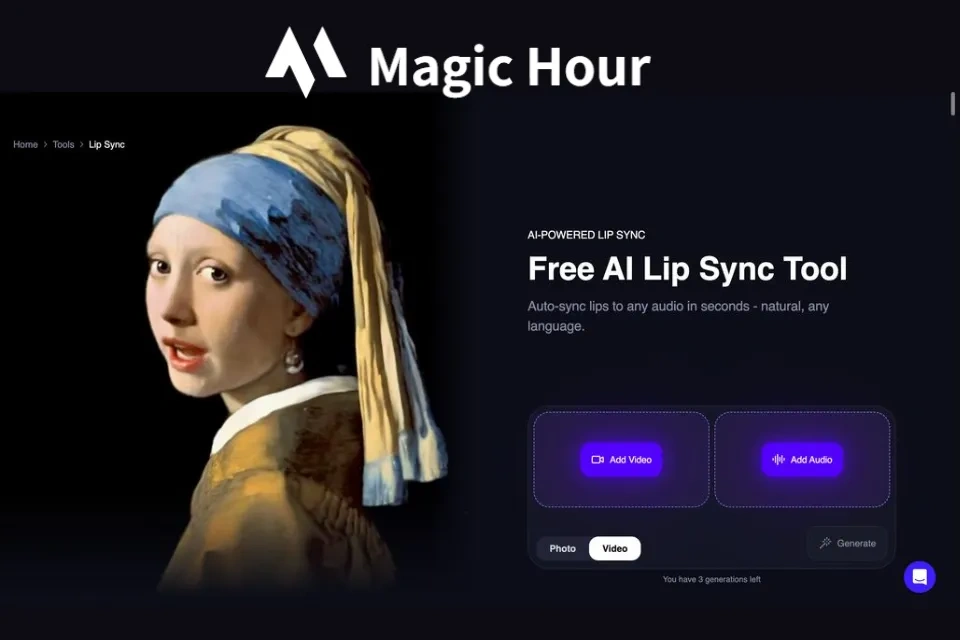
Best for: Creators and marketers working with real footage, dubbing, face swap combinations, and creative video projects.
Why It Stands Out
Magic Hour is genuinely a one-stop creative suite. Beyond lip sync, it offers face swap, talking photos, image-to-video, text-to-video, video upscaling, AI image generation, and voice cloning - all from a single browser interface with no software download required.
The face swap + lip sync combination is especially powerful for production teams: swap in a new face and sync new audio in a single session, reducing a multi-day reshoot to a browser-based workflow. One-click multi-step pipelines (generate → upscale → finalize video) save additional time, and click-to-create templates mean even non-editors can produce professional results quickly.
What truly sets Magic Hour apart is its free tier: 400 credits with no watermark and no credit card required. Credits never expire on any plan. There's no concurrency cap on higher plans, meaning your generations run in parallel rather than queuing behind each other. New features ship weekly.
The platform is trusted by production teams at organizations including Meta, the NBA, and L'Oreal, and delivers best-in-class phoneme-level precision - handling plosive consonants (P, B, T) and fricatives (F, V, S) where cheaper tools typically expose themselves.
Key Features at a Glance
- Real-footage lip sync (frame-by-frame mouth replacement)
- Face swap + lip sync in a single workflow
- Talking photos, image-to-video, text-to-video
- Video upscaling and AI image generation
- Voice cloning
- 400 free credits, no watermark, no credit card required
- Credits never expire
- No concurrency cap on higher plans
- Full API parity across all tools
- Works on desktop and mobile browsers
- No sign-up required to test features
Pros & Cons
Pros:
- Best-in-class real footage lip sync accuracy
- Most generous free tier (400 credits, no watermark, no credit card)
- Credits never expire on any plan
- All-in-one creative suite (face swap, talking photos, video generation, upscaling)
- One-click multi-step workflows
- No sign-up required to test
- Full API parity for developers
- Parallel generations with no concurrency cap
Cons:
- Results can vary with extreme facial angles
- Advanced multi-step chains require a short learning curve
- Ultra-high resolution outputs consume credits faster
- Less specialized for avatars than HeyGen or D-ID
- Credit consumption varies by generation type
Pricing
| Plan | Monthly | Annual (billed yearly) | Credits |
|---|---|---|---|
| Free | $0 | $0 | 400 (one-time) |
| Creator | $15/mo | $10/mo | Recurring |
| Pro | $39/mo | $25/mo | Recurring |
| Business | $99/mo | $66/mo | Recurring |
5. Hedra - Best for Talking Photos and Character Animation
Hedra has evolved from a simple talking-photo tool into a multi-model creative studio, but its core strength remains bringing still images to life as expressive, speaking characters. The flagship Character-3 model (released March 2025) uses omnimodal processing - simultaneously reading image, audio, and text rather than processing them sequentially - which produces more natural, rhythmically coherent animation than traditional staged approaches.
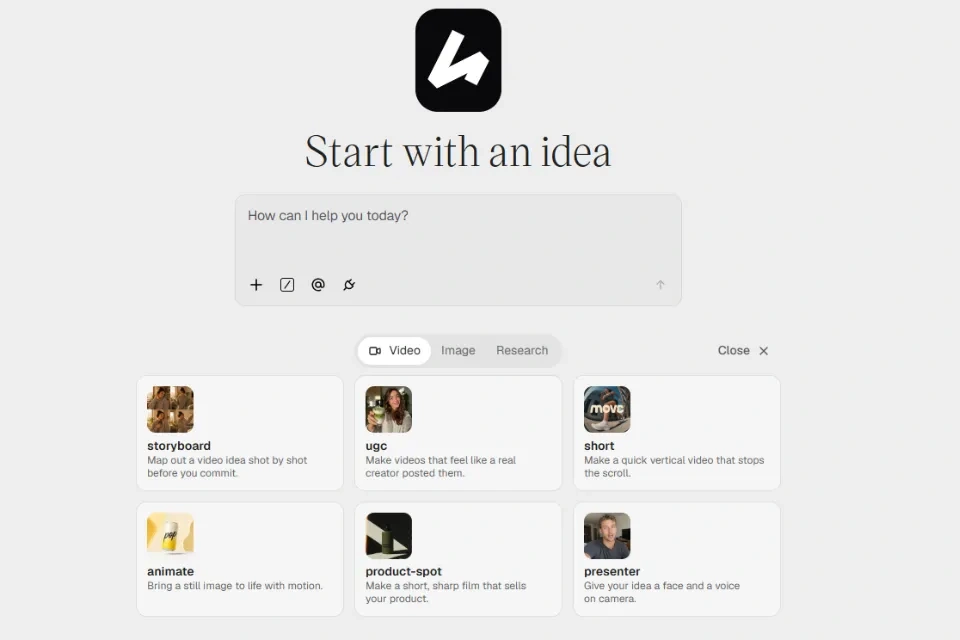
Best for: Talking photos, character animation, illustrated character content, and image-based video creation.
Why It Stands Out
Character-3 delivers phoneme-level precise lip sync and micro-expressions that most other AI video platforms miss: natural blinking, gaze shifting, eyebrow raising on stressed words, and subtle facial movements that make animated characters feel alive rather than robotic. Critically, it works not just with photo-realistic portraits but also with illustrations, cartoons, and non-human faces - a talking dog or a hand-drawn mascot looks as convincing as a real person.
In February 2026, Hedra launched Omnia, adding camera controls, mobile environment support, and a full developer platform API. The Live Avatar API can stream talking characters in real time at approximately 5 cents per minute with latency under 100 milliseconds, making it suitable for interactive agents and virtual hosts.
Hedra has also grown into a multi-model platform with access to 14+ AI models including Veo 3.1, Sora 2 Pro, Flux, Imagen4, and ElevenLabs - all within a single workspace. A Creative Agent can learn your brand, create reusable skills, search the web, and automate the full creative process from research to finished asset.
Key Features at a Glance
- Character-3 omnimodal model (simultaneous image + audio + text processing)
- Phoneme-level lip sync with micro-expressions
- Works with photos, illustrations, cartoons, and non-human faces
- 14+ AI models in one workspace (Veo 3.1, Sora 2 Pro, Flux, Imagen4, ElevenLabs)
- Omnia camera controls and developer API (February 2026)
- Live Avatar API (real-time streaming, ~$0.05/min, <100ms latency)
- AI Voice Cloning (4,000+ voices or clone your own)
- AI Character Generator with cross-generation consistency
- Brand Intelligence (learns from every asset)
- Infinite Canvas workspace
- Brand Kit Generator and AI Presentation Maker
- Credit-based usage (pay only for generated video length)
- 10M+ users
Pros & Cons
Pros:
- Industry-leading character animation from any image type
- Handles illustrated and artistic images that business avatar tools can't
- Micro-expression matching creates convincingly alive characters
- Multi-model platform (14+ models in one workspace)
- Real-time streaming API for interactive use cases
- Creative Agent automates full workflow
- Free tier provides genuine evaluation access (30 min/month)
Cons:
- Default output resolution is 720p; higher resolution costs extra
- Full-body animation still stiff compared to facial rendering
- Language support limited to ~15 languages (vs. 100+ for some competitors)
- Creative focus means less suitable for business training and presentations
- Pro plan ($40/mo) required for API access and commercial licensing
- Occasional visual artifacts in complex backgrounds
Pricing
| Plan | Price | Features |
|---|---|---|
| Free | $0 | 30 min generation/month, watermarked, Character-3 access, TTS included |
| Creator | $10/mo | 120 min video/month, no watermark, 1080p, priority generation |
| Pro | $40/mo | 400 min/month, API access, commercial license, highest quality mode |
6. Higgsfield - Best for AI Video Creation with Lip Sync
Higgsfield is a multi-model AI creative platform that combines video generation, cinematic camera control, character consistency, and lip sync into a single, integrated production environment. It stands out for creators who want to generate video and work with lip synchronization within the same platform, without switching between multiple tools.
Best for: Social creators, agencies, and production teams producing AI-generated video content with consistent characters.
Why It Stands Out
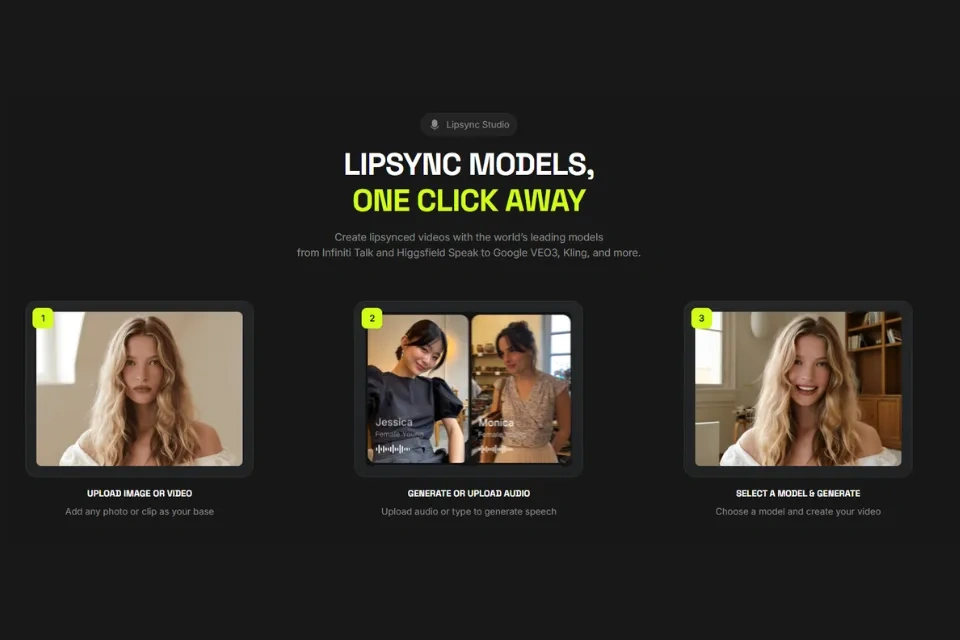
Higgsfield's LipSync Studio takes a fundamentally different approach to lip sync: instead of applying lip sync as a post-production step, it generates spoken video natively with lip sync matching the audio at generation time. This produces more natural results because the mouth movements are driven by the actual audio during video generation, not approximated afterward. LipSync Studio runs multiple models including Kling 3.0 Lipsync and Veo 3.1, supporting 8+ languages. Switch the language and the lip sync updates automatically without re-recording the visual.
The platform's Soul ID system solves one of the hardest problems in AI video: character consistency. Train a digital persona once from a single photo, and that same face appears consistently across different scenes, outfits, lighting conditions, and even different AI models. This means the spokesperson in your English version looks identical to the spokesperson in your Spanish, French, and Japanese versions.
Cinema Studio 2.0 provides director-level camera control with 70+ cinematic presets (Crane, Dolly, 360° Orbit, bullet-time), virtual lens simulation (35mm Anamorphic), and precise keyframe animation. Motion DNA adds realistic micro-movements - slight head tilts, natural hand gestures, breathing, and weight shifts - that make generated video feel inhabited rather than artificially posed.
The platform integrates top-tier AI models including Sora 2, Google Veo 3.1, Kling 3.0, WAN 2.5/2.6, MiniMax Hailuo 02, and Nano Banana Pro, all accessible from a single dashboard.
Key Features at a Glance
- LipSync Studio (native lip sync at generation time, 8+ languages)
- Soul ID (persistent character consistency across all models and scenes)
- Cinema Studio 2.0 (70+ cinematic presets, virtual lenses, keyframes)
- Motion DNA (realistic micro-movements and body language)
- VFX Library (150+ big-budget effects)
- Marketing Studio (product URL to complete ad)
- Supercomputer (high-throughput parallel generation, Ultra plan)
- Recast Studio (complete character replacement in videos)
- 100+ Viral Apps (one-click video creation tools)
- Multi-model access (Sora 2, Veo 3.1, Kling 3.0, and more)
Pros & Cons
Pros:
- Native lip sync generation produces more natural results than post-processing
- Soul ID character consistency is industry-leading
- Cinema Studio offers genuine director-level camera control
- Multi-model access in one dashboard (no platform-switching)
- Connected production stack (Soul ID → Cinema → Marketing → LipSync → Supercomputer)
- VFX library adds production value without separate software
- 100+ one-click viral apps for quick content creation
Cons:
- Aggressive credit burn on advanced features (Cinema Studio, upscaling, premium models)
- Learning curve for mastering advanced cinematic controls
- Character consistency good but imperfect (expect 2–3 takes for cohesive sequences)
- Credit management requires careful attention on lower tiers
- UI can feel less polished than simpler competitors
- Premium models consume credits quickly for frequent users
Pricing
| Plan | Price | Credits/Month | Key Features |
|---|---|---|---|
| Free | $0 | 50 | 720p, watermarked, limited models |
| Basic | $9/mo | 150 | 1080p, 2 concurrent, 1 character |
| Pro | $29/mo | 600 | All models, 3–4 concurrent, audio sync, priority |
| Ultimate | $49/mo | 1,200 | Advanced concurrency, full VFX |
| Creator | $129–149/mo | 3,000–6,000 | Supercomputer, API, team collaboration |
| Enterprise | Custom | Custom | Granular controls, security, team seats |
7. D-ID - Best for Enterprise AI Avatars
D-ID is one of the most established AI avatar platforms, and in 2026 it has expanded well beyond simple talking-head videos into real-time interactive AI agents. The platform is particularly relevant for organizations creating multilingual avatar content, interactive customer experiences, and large-scale video localization.
Best for: Enterprise video production, training, customer communication, conversational AI, and interactive avatar applications.
Why It Stands Out
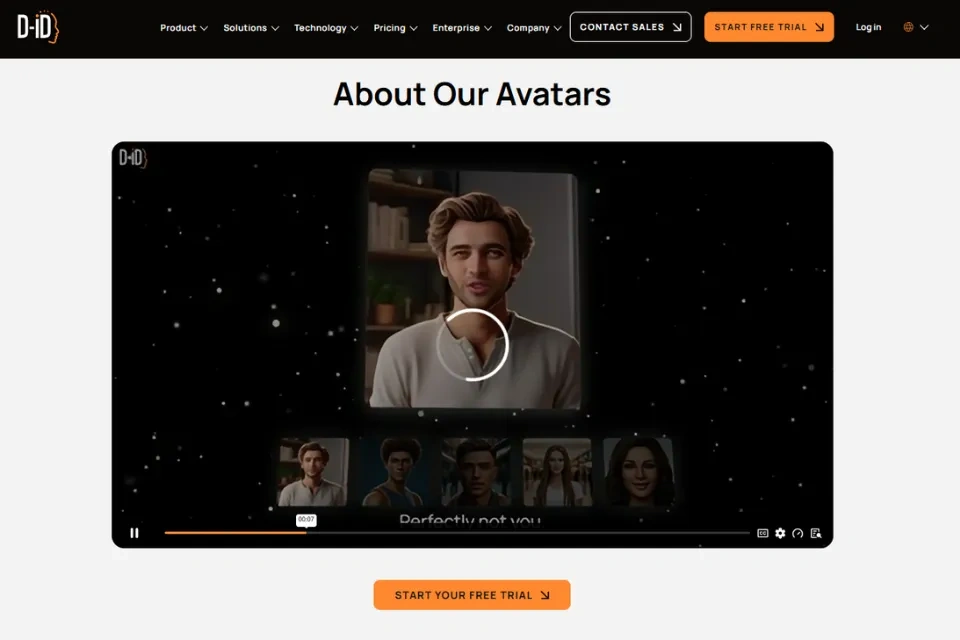
D-ID's Creative Reality Studio 3.0 is a self-service workspace that combines avatars, voice generation, translation, and interactive AI tools. The platform supports three avatar creation methods: stock avatars (built-in presenters for business and educational content), uploaded photos (create a digital twin from any portrait), and AI-generated avatars (generated from scratch using Stable Diffusion).
The most significant development is V4 Expressive Visual Agents - emotionally intelligent, real-time interactive avatars that can listen, respond, and adapt dynamically. Unlike conventional video avatars that play scripted messages, Visual Agents respond through AI-generated conversations, knowledge bases, and connected language models. Sub-second response times make interactions feel natural and fluid.
D-ID supports 100+ languages with 120+ text-to-speech voices, and its video translation and localization workflow preserves voice identity across languages - maintaining the speaker's unique tone and timbre even when dubbing into a different language.
Key Features at a Glance
- Creative Reality Studio 3.0 (browser-based workspace)
- V4 Expressive Visual Agents (emotionally intelligent real-time avatars)
- 100+ languages, 120+ TTS voices
- Three avatar types (stock, uploaded photo, AI-generated)
- Real-time streaming avatars (D-ID Agents) with sub-second response
- Video translation and localization with voice identity preservation
- Voice cloning (1–3 voices depending on plan)
- PowerPoint integration
- Background customization (solid, blurred, custom image)
- RAG (retrieval-augmented generation) for context-aware responses
- REST API for programmatic generation at scale
- Embedded website agents for real-time interaction
Pros & Cons
Pros:
- Best-in-class real-time interactive avatars with emotional intelligence
- Animates a single photo into a talking avatar (Synthesia and HeyGen require prebuilt avatars)
- 100+ languages and deep localization library
- Strong enterprise plumbing (API, SSO, security, compliance)
- RAG integration for context-aware conversations
- PowerPoint integration for presentation enhancement
- Suitable for interactive applications (customer support, onboarding, sales)
Cons:
- Free access is only a 14-day trial (not a permanent free tier)
- Full-body and complex gesture animation lags behind Synthesia and Colossyan
- Studio editor timeline is simpler than traditional video editors
- Premium avatar render times noticeably slower than Express avatars
- Large price gap between Advanced ($196/mo) and Enterprise (custom)
- More focused on avatars than general-purpose real-footage lip syncing
Pricing
| Plan | Monthly | Annual | Video Minutes | Key Features |
|---|---|---|---|---|
| Trial | Free | Free | 5 min/mo | 14-day trial, watermarked, stock avatars |
| Lite | $5.90/mo | $4.70/mo | 10 min/mo | No watermark, custom photo, all voices, HD |
| Pro | $29/mo | $16/mo | 15 min/mo | API access, streaming avatar, PowerPoint, priority |
| Advanced | $196/mo | $108/mo | 100 min/mo | Advanced API, team collaboration, custom branding |
| Enterprise | Custom | Custom | Unlimited | Dedicated support, SLA, custom avatars, white-label |
Market Trends in AI Lip Sync (2026)
The AI lip sync landscape has evolved rapidly. Here are the key trends shaping the industry in 2026:
1. All-in-One Platforms Are Winning
Tools like Magic Hour and Higgsfield are replacing single-purpose apps. Creators increasingly expect video, image, and audio tools in one place rather than juggling multiple subscriptions. The convenience of multi-step workflows (generate → enhance → finalize) within a single ecosystem is becoming a primary purchasing factor.
2. Multimodal Processing Is the New Standard
Hedra's Character-3 model demonstrated that simultaneously processing image, audio, and text produces fundamentally better results than sequential processing. Expect more platforms to adopt omnimodal architectures as the approach proves its superiority in natural-looking animation.
3. Character Consistency Has Become a Key Differentiator
Higgsfield's Soul ID, HeyGen's Digital Twins, and similar features address one of the hardest problems in AI video: keeping the same face consistent across different scenes, languages, and models. This capability is increasingly expected rather than viewed as a premium feature.
4. Real-Time Streaming Avatars Are Emerging
D-ID's Visual Agents and Hedra's Live Avatar API represent a shift from pre-rendered video to real-time interactive avatars. With latency dropping below 100ms and costs around 5 cents per minute, real-time talking characters are becoming viable for customer support, education, and interactive experiences.
5. Phoneme-Level Accuracy Has Sharpened Significantly
The best tools now handle plosive consonants (P, B, T) and fricatives (F, V, S) - the sounds where cheaper tools historically exposed themselves. This has raised the quality floor across the industry.
6. Free Tiers Have Become Genuinely Useful
Magic Hour's 400-credit free tier with no watermark, Hedra's 30 minutes of free generation, and Lip Sync AI's free launch access represent a shift from "teaser" free plans to genuinely usable ones. This gives creators the ability to evaluate tools thoroughly before committing.
7. Developer-First Options Are Maturing
Sync.so's API-first approach with five models, SDKs, and transparent per-second billing shows that developer-grade lip sync infrastructure is becoming as accessible as consumer tools. Expect more platforms to offer robust API access alongside their visual interfaces.
8. Responsible AI Is Becoming Standard
As AI-generated video becomes increasingly realistic, platforms are investing in safety measures. Lip Sync AI has established usage policies to prevent identity theft and deceptive content, and other platforms are following suit with watermarking, content moderation, and consent verification.
How to Choose the Best Lip Sync AI Generator
The best lip sync AI tool depends on what you want to create. Here's a decision framework to help you choose:
By Primary Use Case
| If You Need... | Best Choice | Why |
|---|---|---|
| Simple, affordable lip sync for social media | Lip Sync AI | Focused workflow, low starting price, free tier |
| Professional dubbing and high-quality production | Sync.so | Five models, 4K output, obstruction detection, API |
| AI avatar presenter videos | HeyGen | 700+ avatars, 175+ languages, Avatar IV model |
| Real footage lip sync and creative workflows | Magic Hour | Best real-footage accuracy, face swap + lip sync, generous free tier |
| Talking photos and character animation | Hedra | Character-3 model, handles illustrations, micro-expressions |
| Multi-model AI video with lip sync | Higgsfield | Sora 2, Veo 3.1, Kling 3.0, native lip sync, Soul ID |
| Enterprise avatars and interactive AI | D-ID | Real-time Visual Agents, 100+ languages, enterprise security |
By Budget
- Free or under $10/month: Lip Sync AI ($4.99), Sync.so Hobbyist ($5), D-ID Lite ($5.90), Hedra Creator ($8), Higgsfield Basic ($9), and Magic Hour Creator ($10 with annual billing).
- $10–$30/month: Sync.so Creator ($19), D-ID Pro ($16 with annual billing), Magic Hour Pro ($25 with annual billing), HeyGen Creator (~$24), and Higgsfield Pro ($29).
- $30+/month or Enterprise: Sync.so Growth/Scale, Higgsfield Ultimate/Creator, D-ID Advanced/Enterprise, and Magic Hour Business.
By Technical Requirement
- Need API access? Sync.so (best developer experience), Magic Hour (full API parity), HeyGen (REST + Streaming), Higgsfield (Creator plan), D-ID (Pro and above), Hedra (Pro plan)
- Need 4K output? Sync.so (sync-3 model), Higgsfield (Ultimate plan)
- Need real-time streaming? D-ID (Visual Agents), Hedra (Live Avatar API)
- Need to work with illustrations/cartoons? Hedra (Character-3 handles non-photographic art)
- Need multi-language lip sync? HeyGen (175+), D-ID (100+), Higgsfield LipSync Studio (8+)
Decision Checklist
Before choosing a tool, evaluate:
- Lip-sync accuracy - Does it handle fast speech, accents, and plosive consonants?
- Output quality - What resolution and frame rate does it support?
- Supported formats - Can it work with your source material (video, photo, illustration)?
- Generation speed - How long does processing take, and is there a priority lane?
- Pricing transparency - Are credits, usage limits, and overage costs clearly stated?
- Language support - How many languages are supported, and is lip sync (not just dubbing) available for each?
- Additional features - Do you also need avatars, face swap, video generation, or translation?
- API access - Do you need programmatic integration for automated workflows?
How to Create a Lip Sync Video with AI
Most AI lip sync generators follow a straightforward workflow, but understanding the nuances of each step can significantly improve your results.
Step 1: Prepare Your Source Material
For video-based lip sync (Lip Sync AI, Sync.so, Magic Hour):
- Use clear, well-lit, front-facing video where the mouth is clearly visible
- The speaker should be actively moving or speaking throughout - still frames produce poor results
- Avoid extreme head angles or obstructions (hands, microphones) unless using Sync.so's sync-3 model
- Higher source resolution produces better output; 1080p or above is recommended
- Common formats like MP4 work best across all platforms
For image-based lip sync (Hedra, D-ID, Lip Sync AI Talking Photo):
- Use high-resolution portrait photos with clear facial features
- Ensure the mouth area is unobstructed
- Front-facing photos produce the most natural results
- Both photographic portraits and illustrations work with Hedra's Character-3 model
Step 2: Prepare Your Audio
- Upload existing audio: Use clear, high-quality recordings with minimal background noise
- Text-to-speech: Most platforms offer built-in TTS with multiple voice options
- Voice cloning: Some tools (HeyGen, D-ID, Hedra, Sync.so) can clone a specific voice from a 1–3 minute sample
- Audio quality matters: The clarity of your audio directly affects lip sync accuracy
- Music sync: Some tools can sync facial movements to music vocals, though results vary based on vocal clarity
Step 3: Generate the Video
- Upload your video or image to the platform
- Add your audio file or enter text for TTS
- Select your preferred model and quality settings
- Click generate - most short clips process in under a minute; longer clips take a few minutes
- Paid plans typically include priority processing for faster results
Step 4: Review and Refine
- Check lip movements for accuracy, especially during fast speech
- Look for natural facial expressions and head movement
- Verify that the synchronization holds up throughout the entire clip
- If results are unsatisfactory, try:
- Using a higher-quality model (e.g., Lip Sync 2.0 instead of 1.0)
- Improving source material quality
- Adjusting audio clarity
- Generating 2–3 takes and selecting the best one
Step 5: Export and Distribute
- Download the finished video in your preferred format (MP4 is universally supported)
- Choose the appropriate resolution for your target platform:
- Social media (TikTok, Instagram Reels): 1080p vertical (9:16)
- YouTube: 1080p or 4K horizontal (16:9)
- Presentations: 1080p or higher
- Consider platform-specific requirements for file size and duration
Tips for Getting the Best Lip Sync Results
Source Material Quality
- Lighting is critical. Even, front-facing lighting produces the best results. Avoid harsh shadows on the face.
- Face visibility matters. Ensure the mouth area is clearly visible without obstructions.
- Stable footage works best. Minimize camera shake and rapid head movement during recording.
- Higher resolution = better output. Start with the highest quality source material available.
Audio Quality
- Use clean audio. Background noise, music, and echo significantly degrade lip sync accuracy.
- Match audio to video language. While most tools support any language, results are typically best when the audio language matches the speaker's natural mouth movements.
- Voice cloning needs good samples. For voice cloning, use 1–3 minutes of clear, natural speech at consistent volume.
Workflow Optimization
- Test before committing. Use free tiers to test the same video and audio across multiple tools before purchasing.
- Generate multiple takes. AI results can vary between generations - creating 2–3 versions and selecting the best one often yields better results.
- Use the right model for the job. Don't use a fast/budget model when quality matters, and don't waste premium credits on simple social clips.
- Mind your credits. Understand how each platform's credit system works before starting large projects. Credits can deplete quickly on premium models, especially at 4K resolution.
Platform-Specific Tips
- For real footage: Magic Hour and Sync.so handle real recorded video best. Avoid avatar-focused tools for this use case.
- For avatars: HeyGen and D-ID are purpose-built for avatar videos. Their lip sync is optimized for synthetic faces, not real footage.
- For illustrated characters: Hedra's Character-3 model is the clear leader for animating non-photographic images.
- For multilingual content: HeyGen's 175+ language support with voice cloning is the most comprehensive. Higgsfield's LipSync Studio enables same-face multilingual content through Soul ID.
Frequently Asked Questions
What is the best lip sync AI generator?
There is no single best option for every user. Lip Sync AI is a good choice for simple and affordable lip-sync video creation. Sync.so is better suited to professional production with its five-model lineup and 4K output. HeyGen and D-ID are stronger choices for AI avatar workflows. Magic Hour excels at real-footage lip sync, Hedra leads for character animation, and Higgsfield offers the most comprehensive multi-model creative environment.
What is the best free lip sync AI generator?
Several tools offer free plans or trials, but the generosity varies significantly. Magic Hour offers the most generous free tier with 400 credits, no watermark, and no credit card required. Lip Sync AI offers free access during its launch period. Hedra provides 30 minutes of free generation monthly. However, available credits, watermarks, resolution, and commercial-use restrictions vary, so check the current plan details before choosing.
Can AI lip sync work with a photo?
Yes. Several AI tools can animate a still image and synchronize its mouth movements with speech or singing. Hedra (Character-3 model), D-ID, and Lip Sync AI (Talking Photo AI) all support photo-to-video animation. Hedra is particularly strong with illustrated and non-photographic images, while D-ID works well with portrait photographs.
Can AI lip sync work with music?
Yes. AI lip sync tools can synchronize facial movements with vocals or other audio. The final result depends on factors such as source quality, facial visibility, and audio clarity. Vocal-heavy tracks produce better results than tracks where vocals are buried in instrumentation.
Can AI lip sync handle multiple speakers?
Some tools support multi-speaker videos. Sync.so offers active speaker detection (from Creator tier up) that identifies who is speaking and synchronizes the correct lips. HeyGen supports multi-avatar dialogues. However, most tools work best with single-speaker content.
Do I need video editing experience to use these tools?
No. Most lip sync AI tools are designed for non-technical users with browser-based, upload-and-generate workflows. However, tools like Sync.so (built for developers) and Higgsfield (with advanced cinematic controls) have steeper learning curves for their advanced features.
How long does it take to generate a lip sync video?
Most short clips (under 30 seconds) process in under a minute. Longer clips or complex processing (4K, high-quality models) can take several minutes. Paid plans on most platforms include priority processing for faster results. Real-time streaming avatars (D-ID Visual Agents, Hedra Live Avatar API) operate with sub-second latency.
Can I use AI lip sync for commercial projects?
Yes, in most cases, but check each platform's licensing terms. Most paid plans include commercial usage rights, while free tiers may restrict commercial use. Ensure you have the rights to any uploaded content (videos, photos, audio) and avoid using copyrighted characters or celebrity likenesses without permission.
What should I look for in an AI lip sync tool?
Evaluate lip-sync accuracy (especially on plosives and fricatives), output quality (resolution, frame rate), supported formats (video, photo, illustration), generation speed, pricing transparency, language support, and ease of use. If you need a broader production workflow, also consider avatar creation, image animation, face swap, video generation, and translation features. For developers, API access, SDK availability, and documentation quality are critical factors.
Is API access available for these tools?
Yes, most platforms offer API access, though the depth varies. Sync.so is the most developer-focused with REST API, Python/TypeScript SDKs, and OpenAPI spec. Magic Hour offers full API parity with its web interface. HeyGen provides REST and Streaming APIs. D-ID, Higgsfield (Creator plan), and Hedra (Pro plan) also offer API access. Lip Sync AI currently does not offer API access.
Final Thoughts
The best lip sync AI generator depends on your specific content and workflow. A dedicated tool like Lip Sync AI can be a better fit when your main goal is creating synchronized videos quickly and affordably. Larger AI video platforms like HeyGen, Higgsfield, or D-ID may be more suitable when you also need avatars, video generation, or other production features. For professional dubbing and high-end production, Sync.so offers the most sophisticated model lineup. For real footage, Magic Hour delivers the best accuracy. And for character animation from any image type, Hedra remains the creative leader.
If you're comparing different options, test the same video and audio across several tools. This gives you a better idea of which platform delivers the right balance of lip-sync quality, ease of use, generation speed, and price for your specific needs. Take advantage of free tiers - they've become genuinely useful in 2026 - and pay attention to how credits are consumed, as the true cost of a platform often depends on your usage patterns rather than the headline monthly price.
The AI lip sync category will continue to evolve rapidly. Watch for improvements in real-time streaming quality, broader language support, and deeper integration between lip sync and other AI video generation capabilities. The tools that win will be those that combine technical accuracy with workflow convenience - giving creators professional results without requiring professional expertise.
Sources
- Lip Sync AI - Lip sync video generation and product features: https://lip-sync.ai/
- Sync.so - AI lip sync models and video capabilities: https://sync.so/
- HeyGen - AI lip sync generator and multilingual video features: https://www.heygen.com/tool/create-ai-lip-sync-videos
- Magic Hour - AI lip sync tool and video-to-audio synchronization: https://docs.magichour.ai/tools/video/lip-sync
- Hedra - AI avatar and image-to-video features: https://www.hedra.com/
- Higgsfield - AI video creation and Lipsync Studio: https://higgsfield.ai/
- D-ID - AI avatars, video generation, and lip sync: https://www.d-id.com/